WhatsApp API · Team inbox · Automation
One WhatsApp connection. Everything connected.
Build WhatsApp into your product, answer customers as a team, and automate follow-up — on the same numbers, contacts and conversations.
- Team inbox
- Automation
- API & webhooks
- CRM
- REST API · OpenAPI 3.1
- Signed webhooks
- TypeScript & .NET SDKs
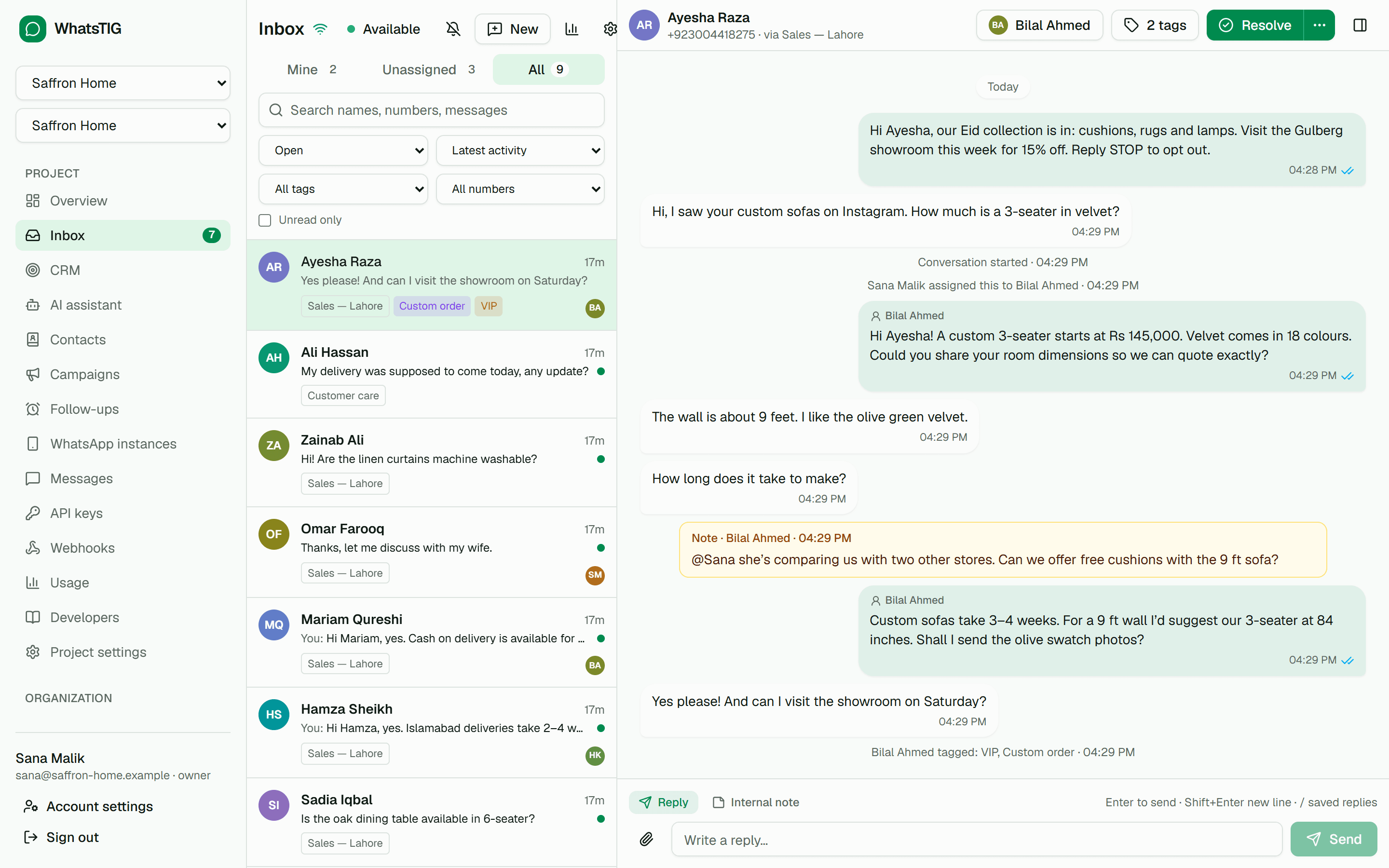
- Inbox · AI · Campaigns · CRM · Follow-ups
- Free: 1 number, 1,000 messages / month
01Connect
A WhatsApp channel your product can call.
Link a number once with a QR or pairing code, then send and receive over a documented REST API. Sends are idempotent, events are signed, and every status says whether it was confirmed or inferred.
curl -X POST https://api.whatstig.com/v1/messages \
  -H "Authorization: Bearer $WHATSTIG_API_KEY" \
  -H "Idempotency-Key: order-4512-shipped" \
  -H "Content-Type: application/json" \
  -d '{
    "instanceId": "wa_01jq8x7y2z3a4b5c6d7e8f9g0h",
    "recipient": "923001234567",
    "type": "text",
    "content": { "text": "Your order has shipped." },
    "clientReference": "order-4512"
  }'
HTTP/1.1 202 Accepted
{ "id": "msg_01jq…", "status": "QUEUED", "clientReference": "order-4512" }From 202 to read, with no guessing.
- QUEUEDStored durably; 202 returnedconfirmed
- PROCESSINGA worker is sending itconfirmed
- SENTTransmitted to WhatsAppinferred → confirmed
- DELIVEREDOn the recipient’s deviceconfirmed
- READOpened, if receipts are onconfirmed
One instance per tenant.
Serving many customers? Give each one their own number and map it to your tenant with externalReference. It comes back on every webhook, so you always know whose message it was. Projects keep products and environments apart.
curl -X POST https://api.whatstig.com/v1/instances \
  -H "Authorization: Bearer $WHATSTIG_API_KEY" \
  -H "Idempotency-Key: create-tenant-101" \
  -H "Content-Type: application/json" \
  -d '{ "name": "Green Valley School", "externalReference": "tenant-101" }'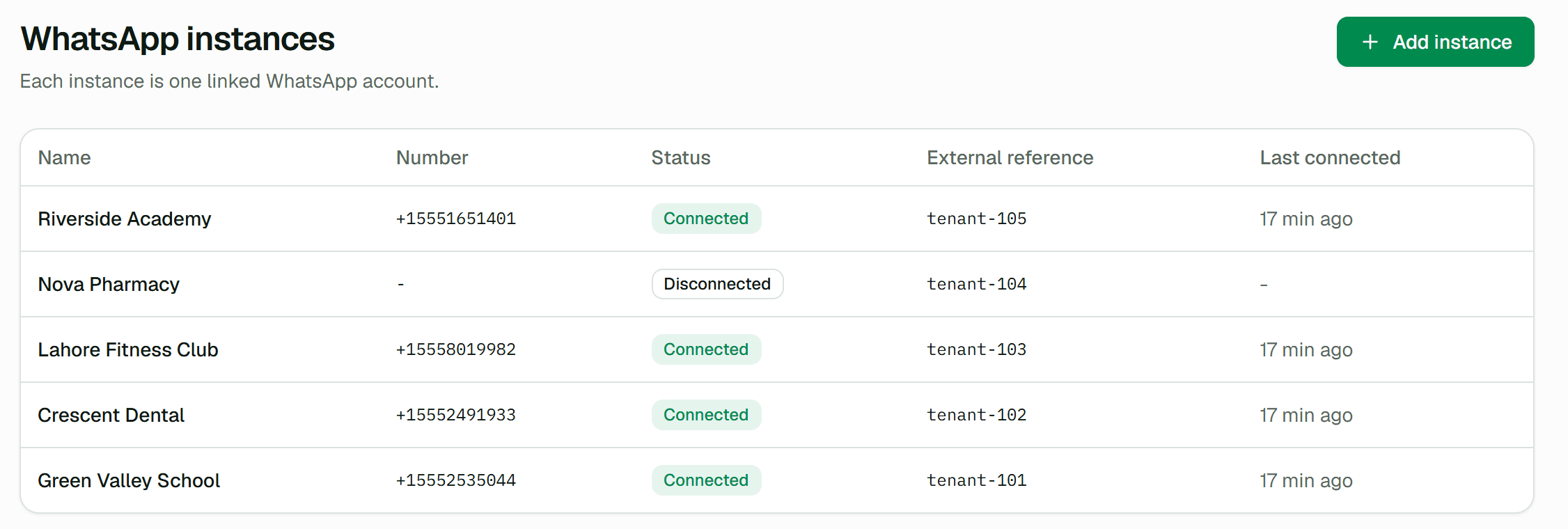
POST /whatstig/webhooks
WhatsTIG-Signature: t=1791540922,v1=5f8c…
WhatsTIG-Event-Type: message.delivered

{
  "type": "message.delivered",
  "instanceId": "wa_01jq…",
  "externalReference": "tenant-101",
  "data": { "messageId": "msg_01jq…", "status": "DELIVERED" }
}- REST API with an OpenAPI 3.1 contract
POST /v1/messages - Text, images and documents. A 202 means the message is stored durably and sent asynchronously.
- Idempotent sends
Idempotency-Key - Retry any send safely: a repeated key returns the original response instead of a second message.
- Signed webhooks
WhatsTIG-Signature - HMAC-signed, at-least-once delivery from a transactional outbox, with retries, delivery logs and replay.
- Scoped API keys
- Least-privilege scopes, rotation and instant revocation. Secrets are shown once and stored only as keyed hashes.
- SDKs
@whatstig/sdk · WhatsTig.Client - TypeScript and .NET clients generated from the contract, plus a Postman collection.
- Hosted connect links
- Send your customer a short-lived link to a page that shows only their instance’s QR code and status.
02Converse
Every number, one inbox, the whole team.
Everyone who writes to one of your numbers gets a conversation. Assign it, reply, leave a note your customer never sees, and resolve it — while everyone sees changes live.
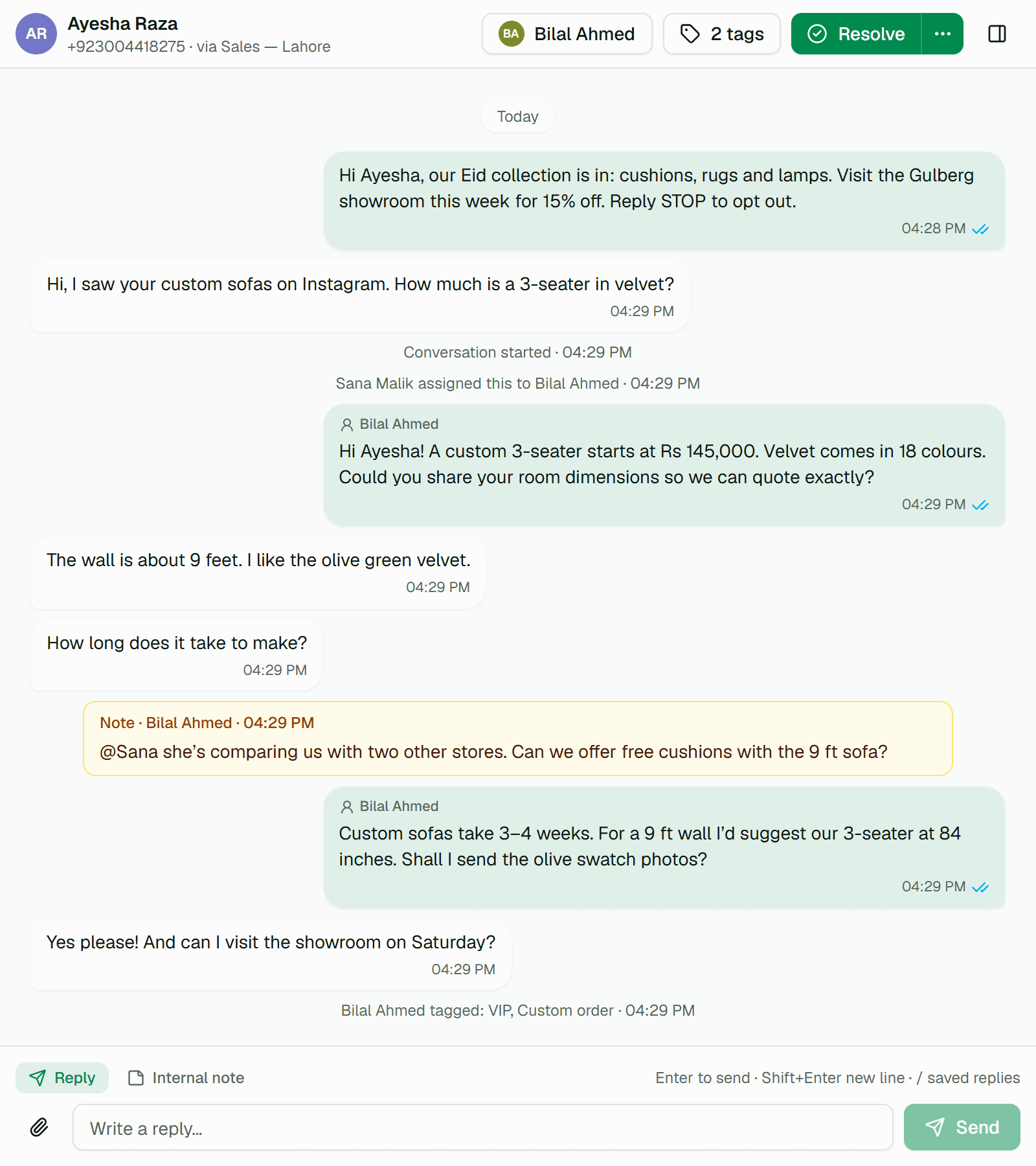
Assignment that sticks
Take a conversation, or let round robin or least-busy assignment pick an available agent, with an optional cap per agent.
Notes and @mentions
Switch the composer to an internal note and mention a teammate to bring them in. The customer never sees it.
Receipts you can read
Sent, delivered and read ticks on every reply, from the same delivery tracking the API uses.
No double replies
See who is viewing or typing. If someone answered while you wrote, the inbox asks before sending. Type / for saved replies.
- Explore the team inbox
AI assistant
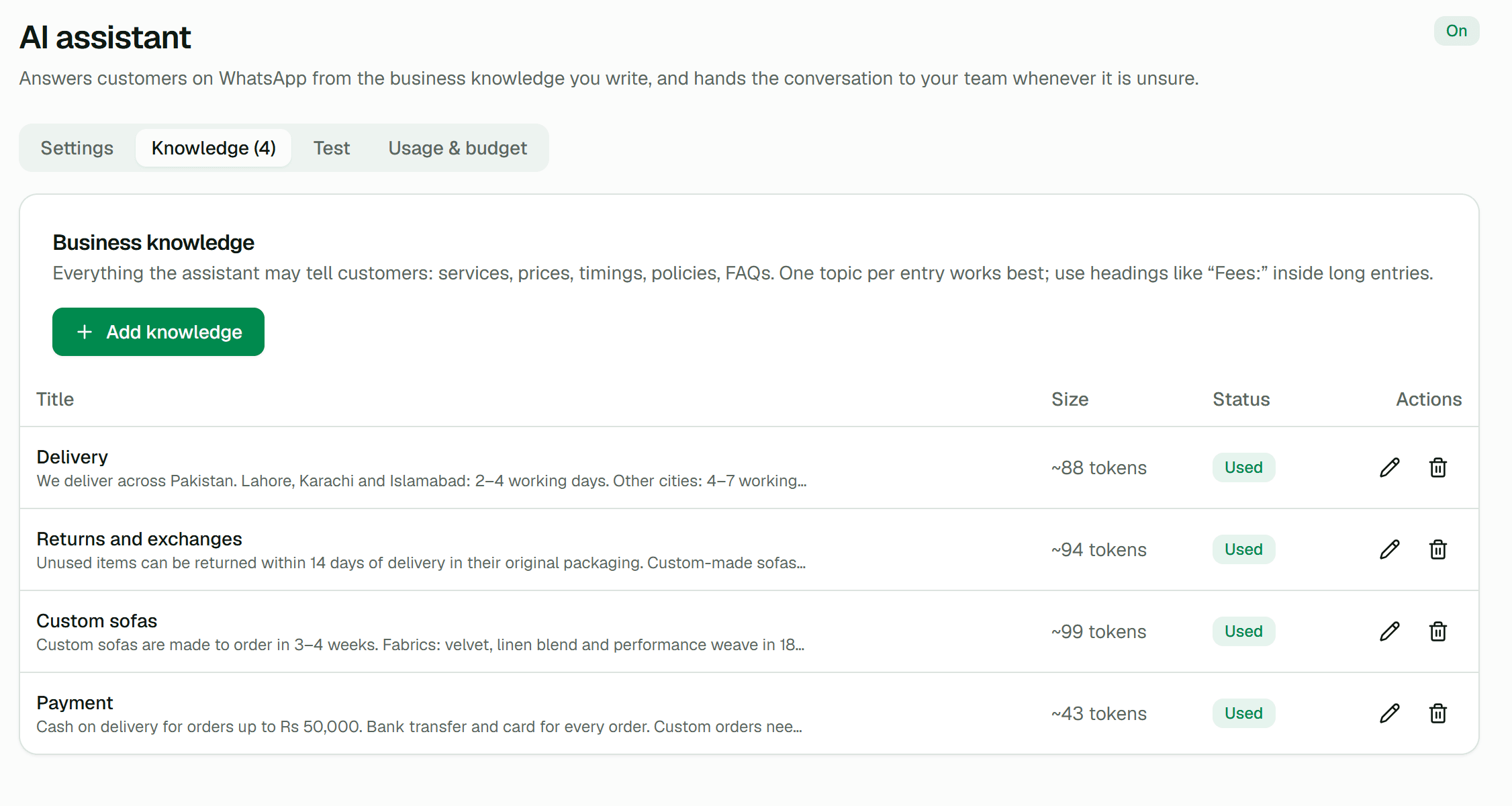
Answers from what you wrote, not from what it guesses.
Write your delivery times, prices and policies the way you would brief a new colleague. The assistant answers only from that knowledge and the conversation, in your customer’s language, and steps back when it is unsure or someone asks for a person.
Knowledge · Custom sofas
Custom sofas are made to order in 3–4 weeks. Fabrics: velvet, linen blend and performance weave in 18 colours.
03Automate
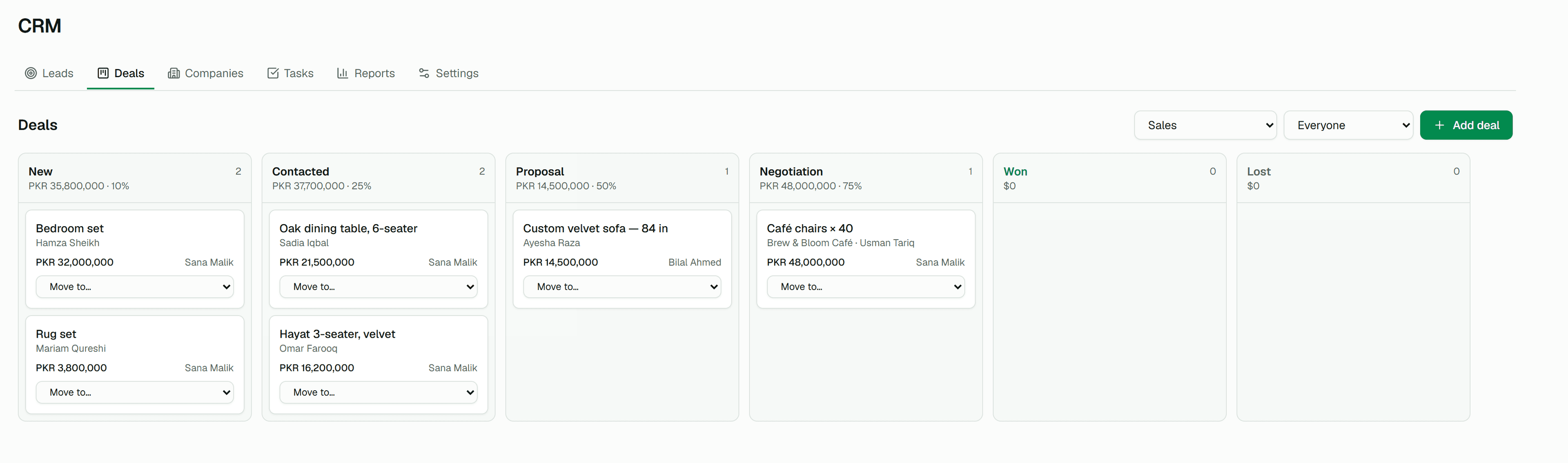
From first message to won deal, without a spreadsheet of reminders.
- 01CaptureA click-to-chat link in your ad opens WhatsApp. The first message creates a lead, attributed to the link.Learn more
- 02AnswerThe AI assistant replies from your knowledge and asks for the details your team needs.Learn more
- 03Follow upNo reply after a day? A follow-up goes out, and the owner is reminded to call.Learn more
- 04CloseYour team picks the conversation up in the inbox and moves the deal to Won.Learn more
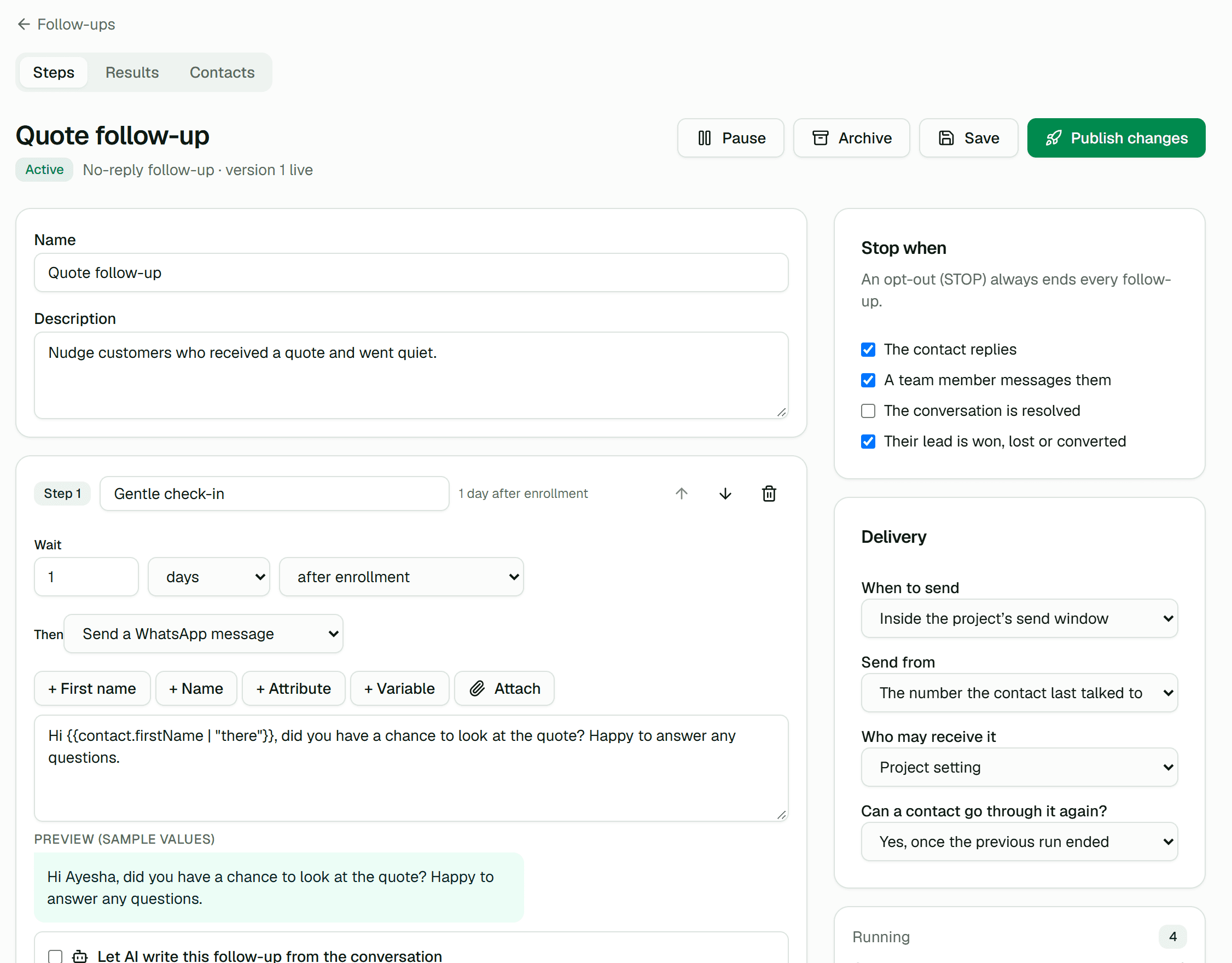
Follow-ups that stop when they reply.
Sequences of up to 10 steps: messages, team reminders, tags. A reply, a STOP or a won deal ends them.
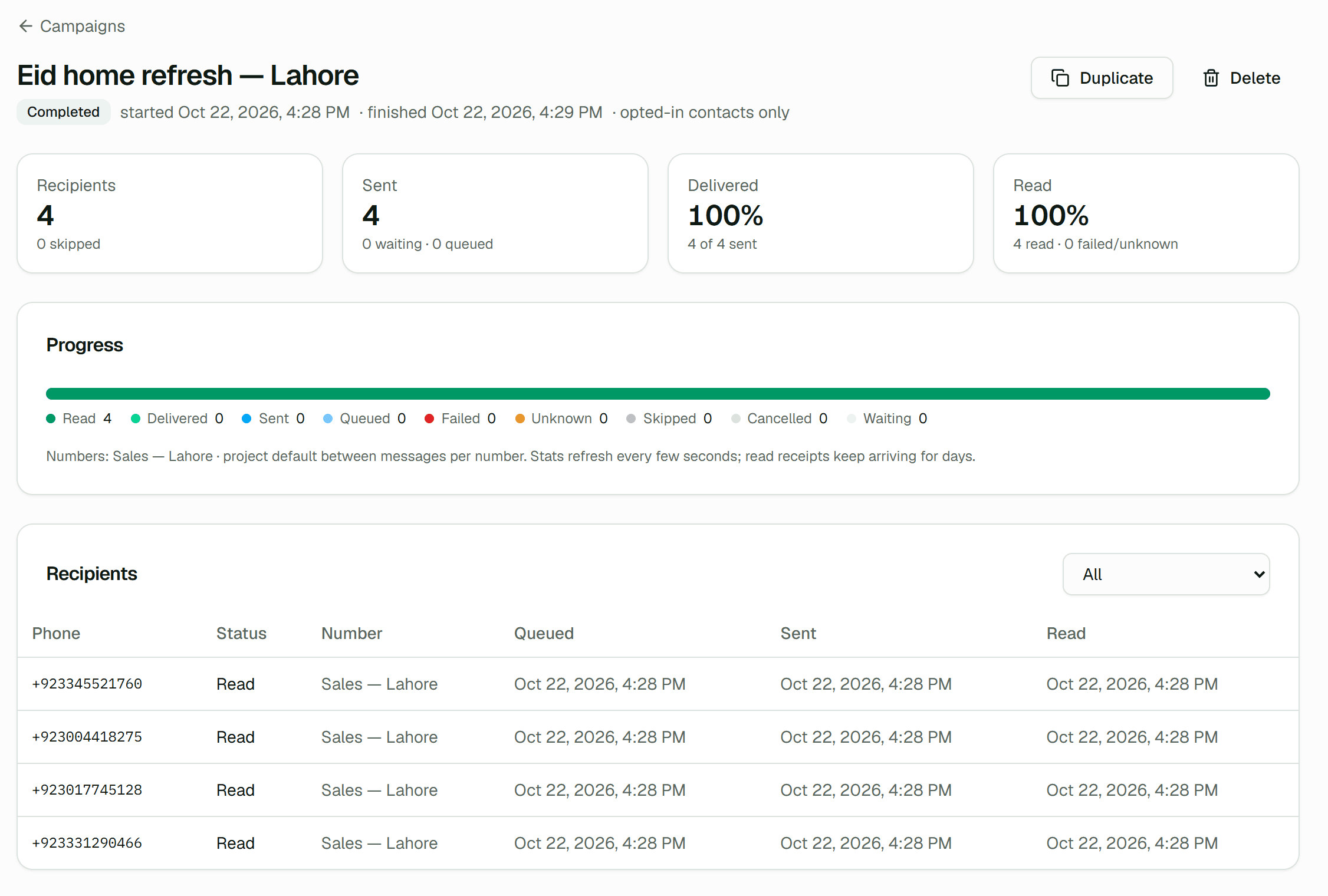
Campaigns for people who opted in.
Segments, personalization and safe pacing per number, with every recipient’s status and the reason anyone was skipped.
Security & reliability
Built to be trusted with your customers’ messages.
Before you start
WhatsTIG uses an unofficial implementation of the WhatsApp Web protocol. It is not affiliated with, authorized, or endorsed by WhatsApp or Meta. WhatsApp may restrict accounts, the protocol may change, and delivery is never guaranteed. Only message people who expect to hear from you.
Bulk unsolicited messaging, purchased contact lists and attempts to evade WhatsApp’s limits are not allowed. See the acceptable-use policy.
- Encrypted session credentials
- Linked WhatsApp sessions are stored encrypted and survive restarts and deployments without a new scan.
- Tenant isolation
- Every query is scoped to the caller’s project. Other tenants’ resources are indistinguishable from missing ones.
- Outbound protection
- Webhook and media URLs are checked against private and metadata addresses on every request, after DNS resolution.
- Audit log and roles
- Owner, admin, developer, agent and viewer. Agents see only the inbox; key and webhook changes are recorded.
- Honest delivery semantics
- Every status says whether it was confirmed or inferred. Uncertain sends are flagged, never silently retried.
Start on the free plan. Upgrade when the team joins.
Compare plansFree$0
1 WhatsApp number, 1,000 messages a month. API, webhooks and dashboard.
Starter$19 / mo
3 numbers, 20,000 messages a month, 3 inbox seats.
Business$99 / mo
25 numbers, 250,000 messages a month, 15 inbox seats.
EnterpriseCustom
Negotiated limits for large deployments.
Get started
Link a number. Send the first message. Bring your team in when you are ready.
The free plan includes the full API, webhooks and dashboard. Paid plans are activated by our team on request.